Opening Balance Doesn’t Match in QuickBooks? Here’s What to Do (Without Making It Worse)
If you’re trying to reconcile your bank account in QuickBooks and you see:
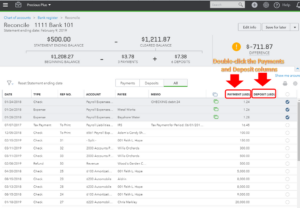
“Your beginning balance is off by $___”
Stop.
Do not click random transactions.
Do not force an adjustment.
Do not create a plug entry just to make it match.
An incorrect opening balance is not a QuickBooks glitch — it’s a bookkeeping signal that something changed behind the scenes.
Here’s what’s actually happening and how to fix it properly.
Why This Happens
When your opening balance doesn’t match, it means something in a previously reconciled period was altered.
QuickBooks locks nothing unless you intentionally close the books. So if a transaction is:
-
Deleted
-
Edited
-
Re-dated
-
Uncleared
-
Changed in amount
-
Or newly added to a prior period
Your current reconciliation will be off.
And QuickBooks is simply alerting you to it.
The 5 Most Common Causes
1. A Previously Reconciled Transaction Was Deleted
This is the #1 cause.
Someone deleted an expense, deposit, or journal entry that had already cleared in a prior reconciliation.
Even one deleted transaction will throw off the beginning balance.
2. A Transaction Amount Was Edited
Changing $1,200 to $1,020?
That $180 difference now sits in your opening balance discrepancy.
3. A Transaction Was Uncleared
If someone removed the “R” (reconciled) status in the register, QuickBooks recalculates the prior period.
4. A New Transaction Was Backdated
If a new entry was added to a month that was already reconciled, it disrupts the historical reconciliation total.
5. Bank Feed Auto-Matching Errors
Sometimes transactions are duplicated or re-categorized through the bank feed.
This creates subtle reconciliation issues that compound over time.
How to Fix It (The Right Way)
Before doing anything, run this report:
Reports → Reconciliation Discrepancy Report
This report shows exactly what changed since the last reconciliation.
Then:
-
Identify the transaction
-
Compare it to your prior reconciliation report
-
Restore it to its original status (if appropriate)
-
Re-run reconciliation
If the change was intentional, document it and adjust properly — don’t guess.
When You Should NOT Touch It
If:
-
The discrepancy spans multiple months
-
You see multiple edited transactions
-
Prior-year reconciliations are affected
-
Tax returns were already filed
-
A CPA is involved
Stop and pause.
Fixing prior-period errors incorrectly can create:
-
Financial statement distortion
-
Tax reporting inconsistencies
-
Loan underwriting issues
-
Audit flags
This is where professional cleanup matters.
Why This Is a Bigger Red Flag Than You Think
An opening balance discrepancy isn’t just a small math issue.
It means:
-
There’s no protection around closed periods
-
Someone is modifying historical data
-
Your financial statements may not be stable
-
Your CPA may be reviewing numbers that aren’t consistent
That’s not a QuickBooks problem.
That’s a bookkeeping oversight issue.
How We Prevent This at Park East Bookkeeping
At Park East, reconciliations are not just “checked off.”
They are:
-
Locked after completion
-
Reviewed monthly
-
Matched to original statements
-
Documented for CPA-ready reporting
We don’t allow silent edits to past periods.
If something must be corrected, it’s documented and handled properly — not patched.
That’s the difference between data entry and financial oversight.
If Your Opening Balance Is Off
Ask yourself:
-
Has this happened before?
-
Are prior reconciliations documented?
-
Are your books locked after closing?
-
Does someone review historical edits?
If the answer is no, it may be time to fix the system — not just the number.
Need Help Fixing a Reconciliation Error?
If you’re a small business owner in the Greater Cleveland area and your QuickBooks reconciliation doesn’t match, we can review it properly and restore clean reporting.
Because clean books aren’t optional — they’re foundational.
Call 440-533-9224 to learn more.